BTC USD 81,813.4 Gold USD 4,378.12
Time now: Jun 1, 12:00 AM

All About Google Chrome Discussions - Perbincangan Google Chrome

Perbandingan Selepas Optimisation

Anda boleh melakukan sendiri, seperti catit rekod sebelum dan selepas optimisation untuk lihat perbandingan, jika ada tweak, tips & tricks kongsi disini dan sekiranya takut atau ragu-ragu nak cuba sendiri, letak sahaja di topik ini .. dan saya akan cuba serta beri result :)


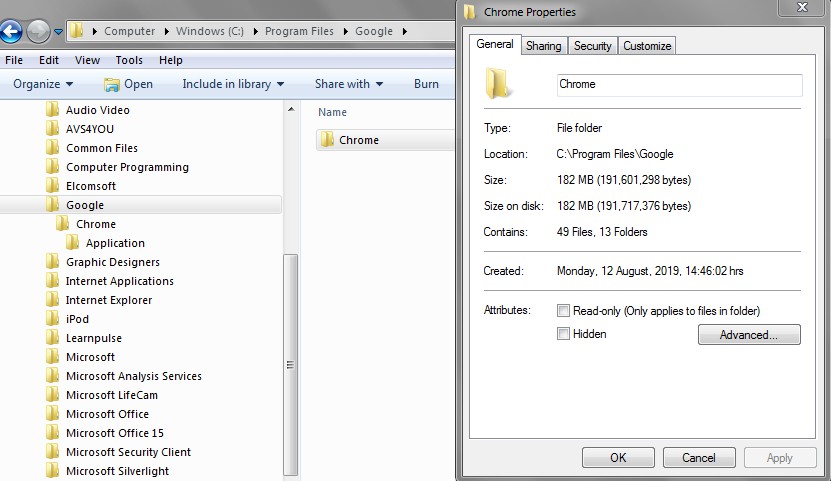
Program

Screenshot-694.jpg


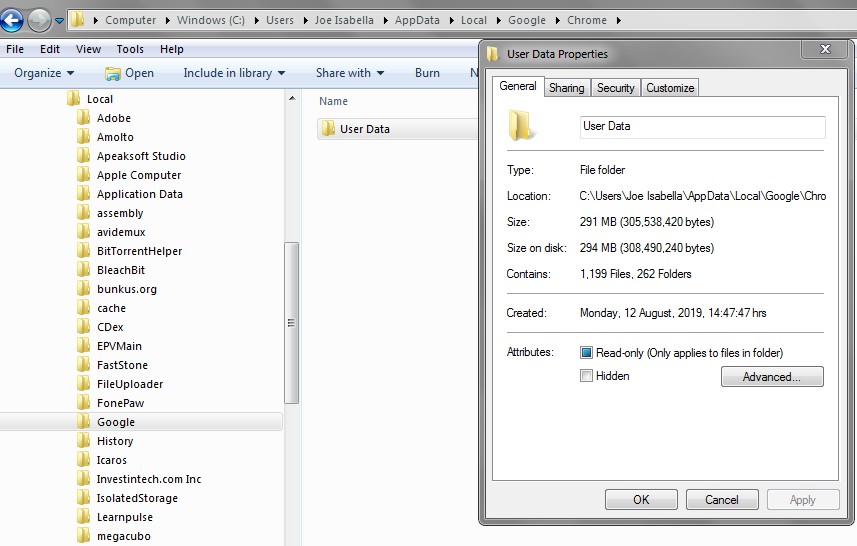
USERDATA

Screenshot-695.jpg


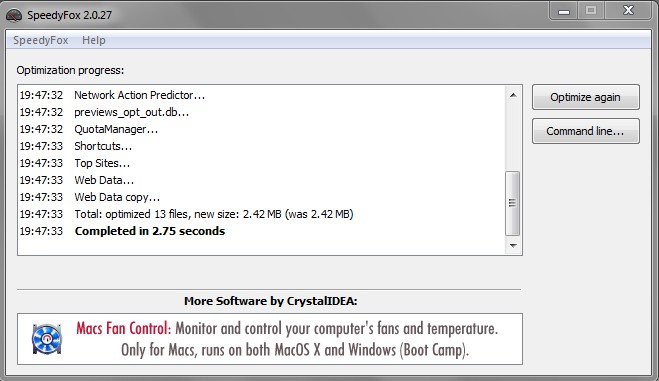
SpeedyFox


Screenshot-696.jpg


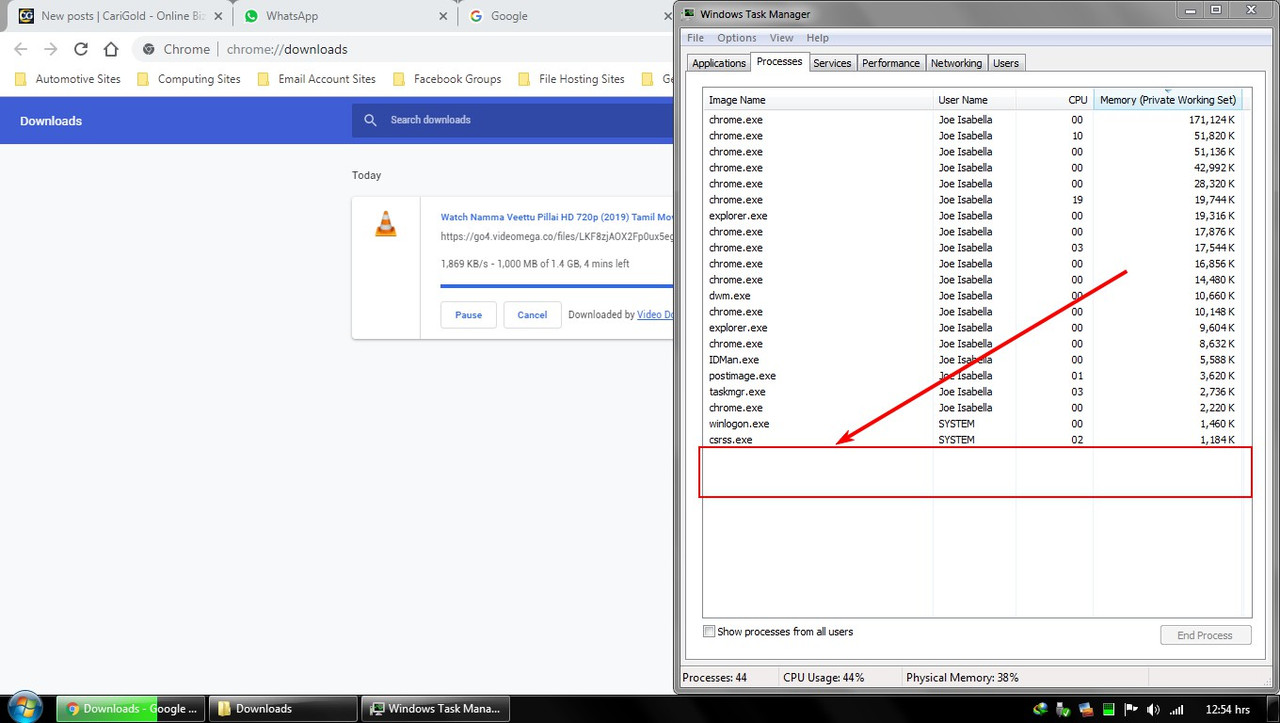
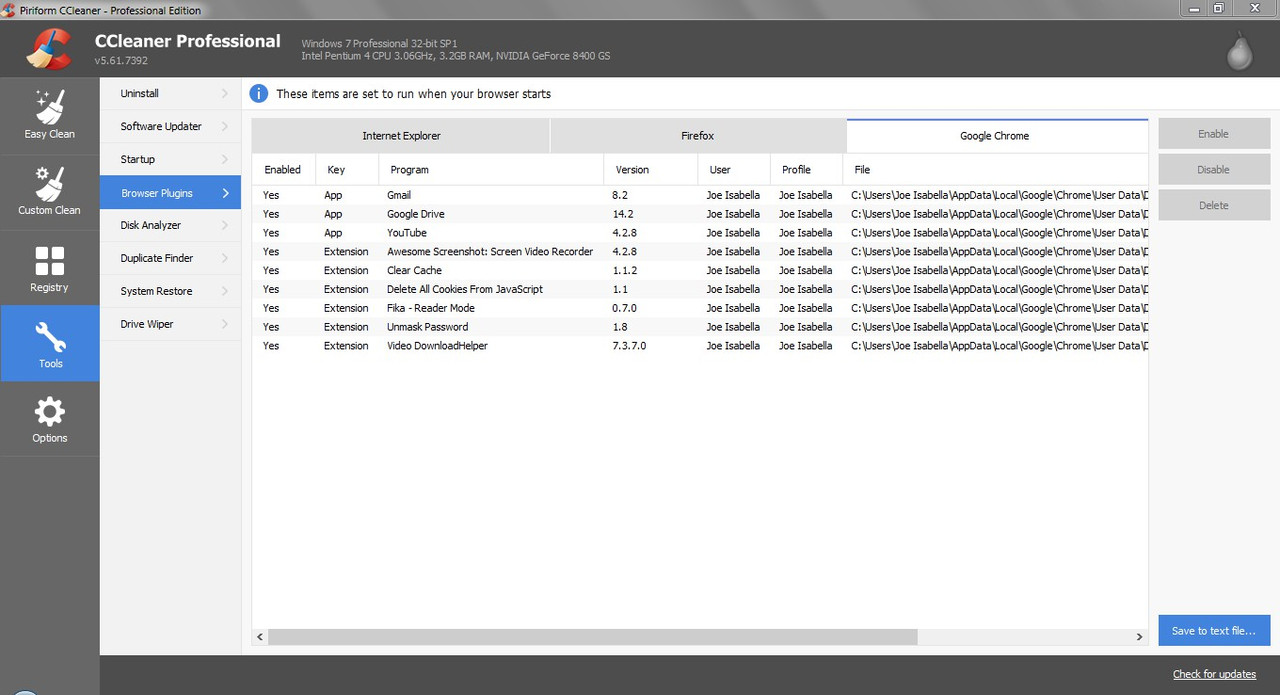
Rekod Aplikasi Singed-In User, Selepas Removal PROFILE 1
Screenshot-697.jpg
 
Security Fixes and Rewards

The stable channel has been updated to 78.0.3904.87 for Windows, Mac, and Linux, which will roll out over the coming days/weeks.

Note: Access to bug details and links may be kept restricted until a majority of users are updated with a fix. We will also retain restrictions if the bug exists in a third party library that other projects similarly depend on, but haven’t yet fixed.

This update includes 2 security fixes. Below, we highlight fixes that were contributed by external researchers. Please see the Chrome Security Page for more information.

[$7500][1013868] High CVE-2019-13721: Use-after-free in PDFium. Reported by banananapenguin on 2019-10-12
[$TBD][1019226] High CVE-2019-13720: Use-after-free in audio. Reported by Anton Ivanov and Alexey Kulaev at Kaspersky Labs on 2019-10-29

Google is aware of reports that an exploit for CVE-2019-13720 exists in the wild.

We would also like to thank all security researchers that worked with us during the development cycle to prevent security bugs from ever reaching the stable channel.

A list of all changes is available in the log. Interested in switching release channels? Find out how. If you find a new issue, please let us know by filing a bug. The community help forum is also a great place to reach out for help or learn about common issues.


Srinivas Sista
Google Chrome

Sumber asal https://chromereleases.googleblog.com/2019/10/stable-channel-update-for-desktop_31.html
CVE-2019-13720 https://securelist.com/chrome-0-day-exploit-cve-2019-13720-used-in-operation-wizardopium/94866/
CVE-2019-13721https://cve.mitre.org/cgi-bin/cvename.cgi?name=2019-13721
 
Security Fixes and Rewards

The stable channel has been updated to 78.0.3904.87 for Windows, Mac, and Linux, which will roll out over the coming days/weeks.
masih ada .. i baru dapat 300usd pasal bug .. jangan update ya

auto update mansuhkan dan delete "software reporting tool" .. untuk ni keluar dari Chrome ALT+CTRL+DELETE matikan Chrome
 
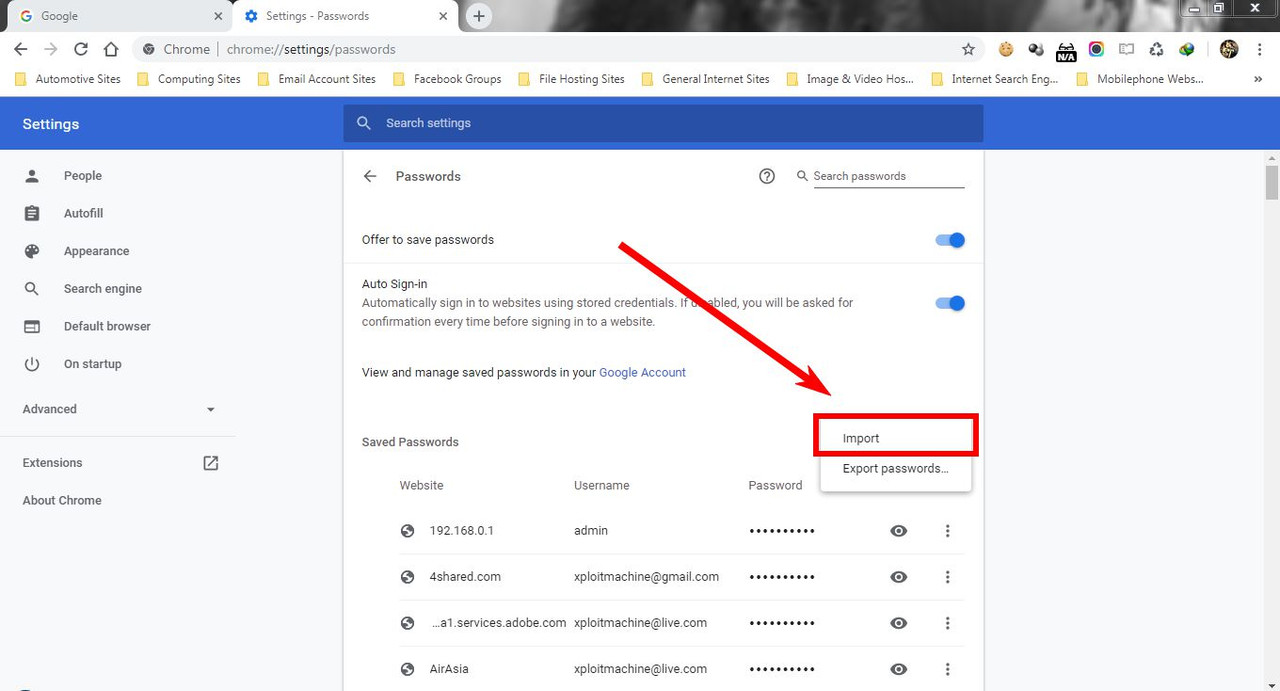
Google keluarkan flags tweak untuk import password (juga beberapa tweak lain) dalam versi Chrome selepas v78.x.xxxx. Untuk dapatkan kembali menu Import, pengguna harus downgrade ke versi lama iaitu sebelum November 2019.

Screenshot-46.jpg


Untuk versi lama, sila rujuk post pertama. TQ
 
Sorry to disturb you, but it's one of the best browsers of all the time, it's fast, great and fantastic anyway for many many reasons out there, so we need to make something with that matter. I do not want to see anything with that later. How else we can do so ?
 
Sedikit Tweak Untuk Chrome Versi Baru (v80) - Baca Di Baris Description Dalam Chrome Flags, atau Tak Faham Boleh Tanya Sini

chrome://flags

ENABLE ALL BELOW
Enable Reader Mode
Password import
Global Media Controls
Quieter notification permission prompts
Smooth Scrolling
Experimental QUIC protocol
GPU rasterization
Zero-copy rasterizer
Password Leak Detection
Heavy Ad Intervention
Disable heavy ad privacy mitigations
Enable improved UI for third-party cookie blocking
Enable improved cookie controls UI in incognito mode
Quieter notification permission prompts (Enable With Adaptive)

DISABLE ALL BELOW
Enable media log in developer tools
 
Chrome Version 81.0.4044.122 sekarang ada built-in Toggle Reader mode

Password Import / Export
kena aktifkan melalui panel;
- taip di address bar chrome://flags -> taip Password Import dan pilih ENABLE

Aktifkan Heavy AD Intervention untuk block semua iklan yang ada kriteria loading lambat / saiz besar;
- taip di address bar chrome://flags -> taip Heavy Ad dan pilih ENABLE (kedua-dua paparan) screenshot bawah

Screenshot-1246.jpg


Screenshot-1247.jpg


Screenshot-1249.jpg


Fungsi-fungsi lain;

ENABLE ALL BELOW
#PasswordImport
#global-media-controls
#global-media-controls-for-cast
#global-media-controls-picture-in-picture
#smooth-scrolling
#enable-quic
#enable-gpu-rasterization
#enable-oop-rasterization
#decode-webp-images-to-yuv
#enable-zero-copy
#improved-cookie-controls-for-third-party-cookie-blocking
#improved-cookie-controls

DISABLE ALL BELOW
#enable-media-internals-devtools
 
Back
Top
Log in Register