x worry bro...i've already test it.x pyh nk offkan uac.
install,chage u're logon background and restart.
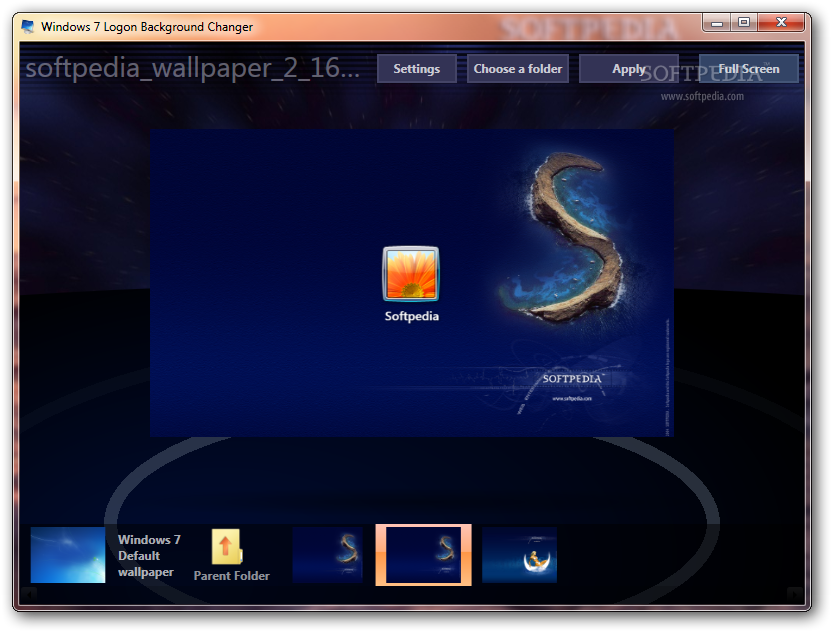
Windows 7 Logon Background Changer 1.3.4
________________________________________
This application contains english and french translations for its user interface, but it will work on any Windows 7 language and edition, except on Windows 7 Starter.
==========
This application automatically checks online if an update is available. It only sends the version number, it does not send any personal data and does not download any update without your consent (Since the application is open source you can easily verify that).
You must read and accept the license terms before using this application. You can read them from here:
http://www.julien-manici.com/windows_7_logon_background_changer/
You can also download the source code of this application from the URL above.
==========
To use this application, you can:
-run it directly by opening Win7LogonBackgroundChanger.exe
(right click on it, and run it as administrator if you don't want other users of this computer to be able to change the logon background later)
OR
-if you prefer to install it, go to the Setup folder and run setup.exe.
To run it, open the Control Panel, and go to Appearance and Personalization. There is also a shortcut in the start menu.
NEVER UPLOAD HERE B4 TRY IT.....