Hi everyone,
I've been working on a small project that lets me manage my MT4/MT5 trading workflow directly from Chrome (TradingView,X.com....), while keeping MetaTrader running as the execution terminal.
The idea is pretty simple:
Chrome → FXVNPro → MT4/MT5 → execution result back to the browser
I finally got the complete workflow running, so I thought I'd share a few screenshots and get some feedback from other MT4/MT5 traders.
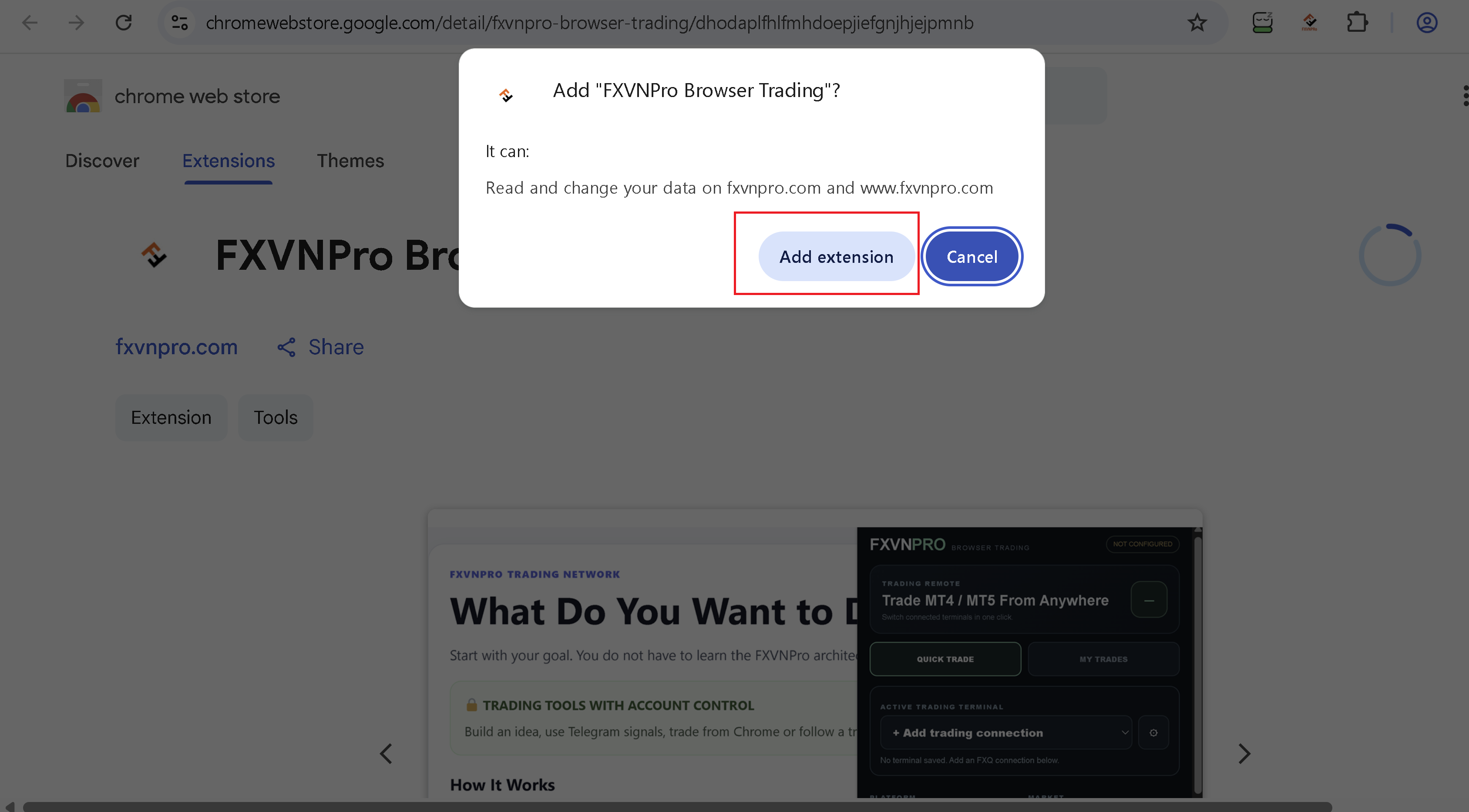
1. Install the Chrome extension
The extension is now available through the Chrome Web Store.
2. Create a connection and install the MT5 Bridge
From the Browser Trading page I create a connection, download the MT5 Bridge and attach it to MetaTrader.
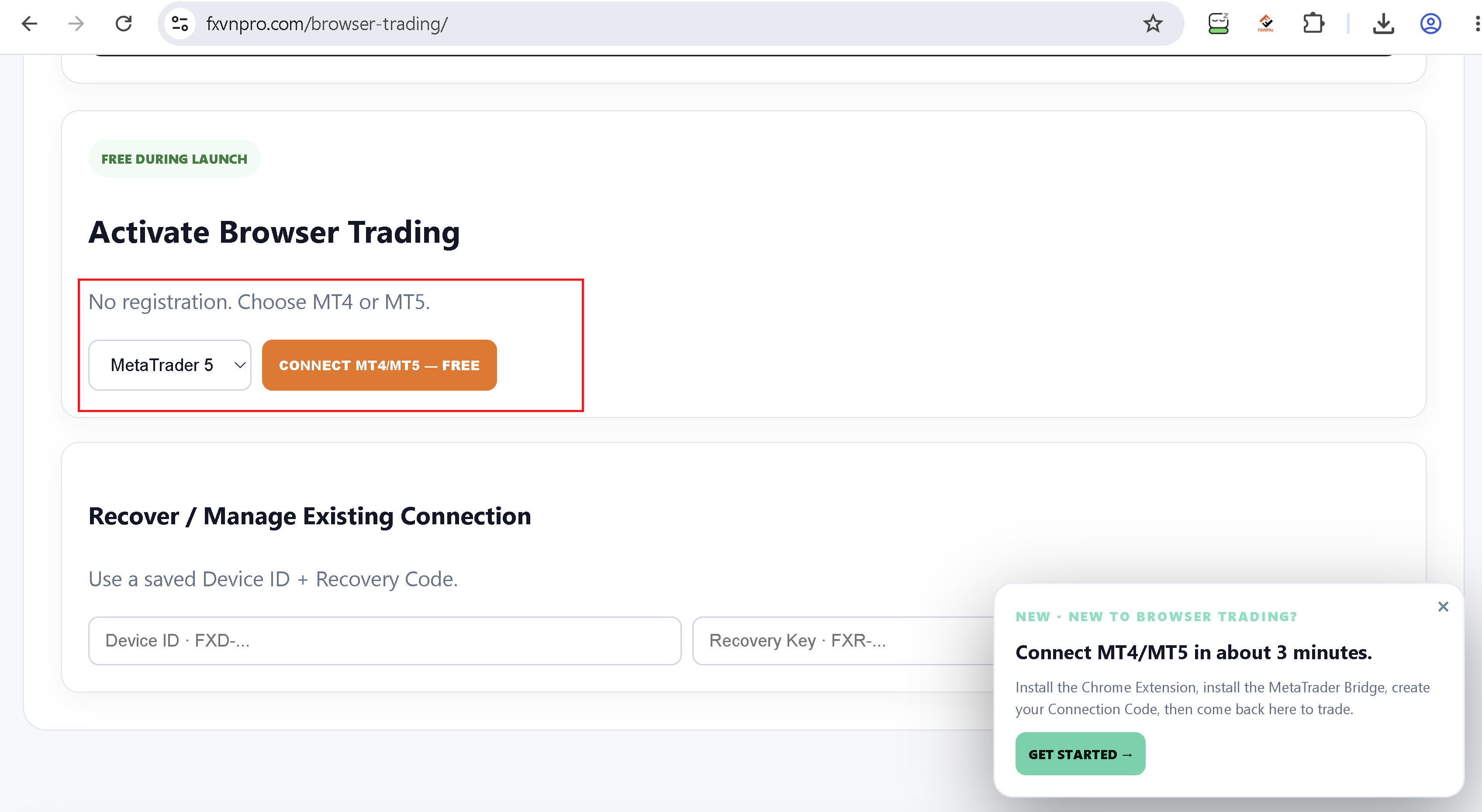
Once connected, Chrome and the MetaTrader terminal can communicate without me entering my broker trading password into the Chrome extension.
3. Send a trade from Chrome
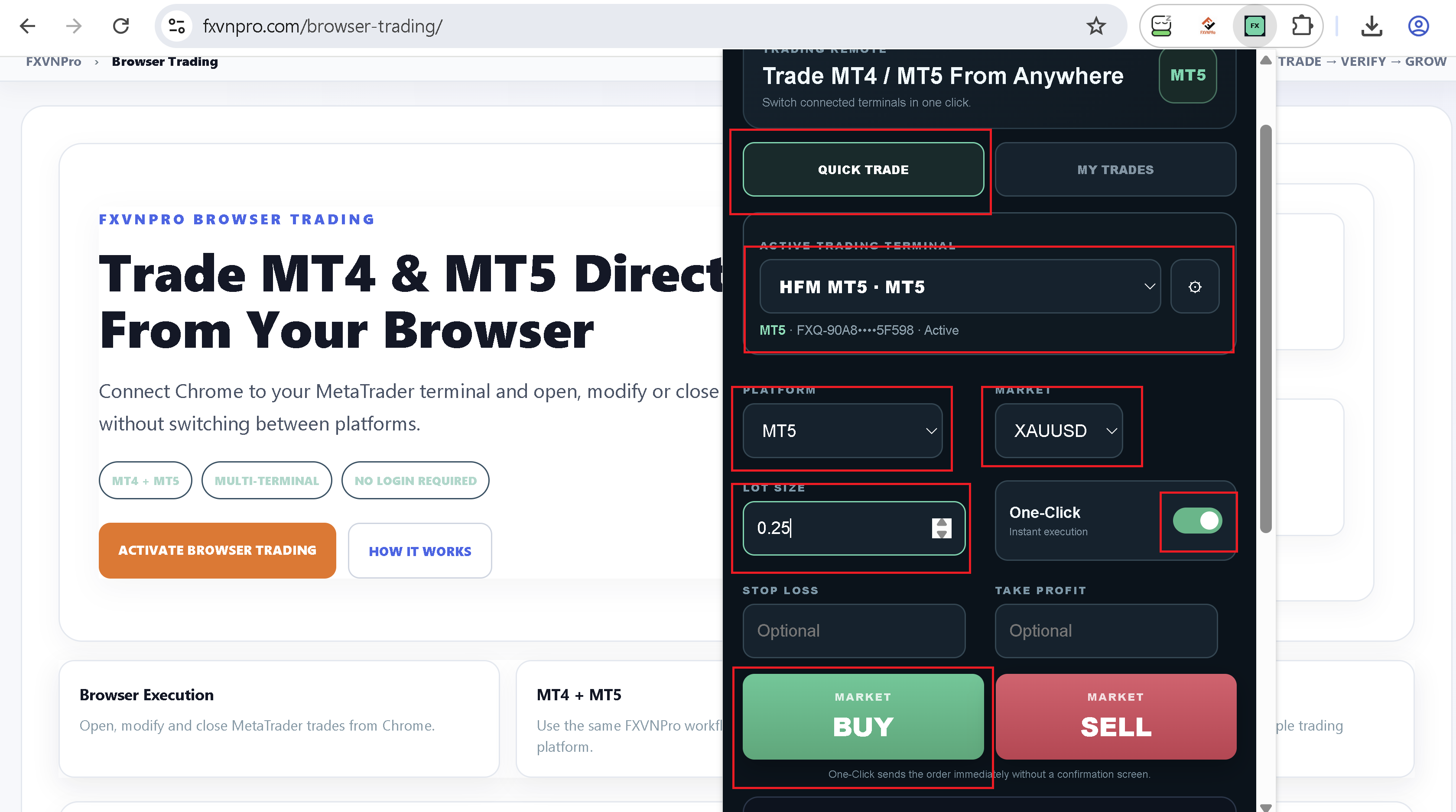
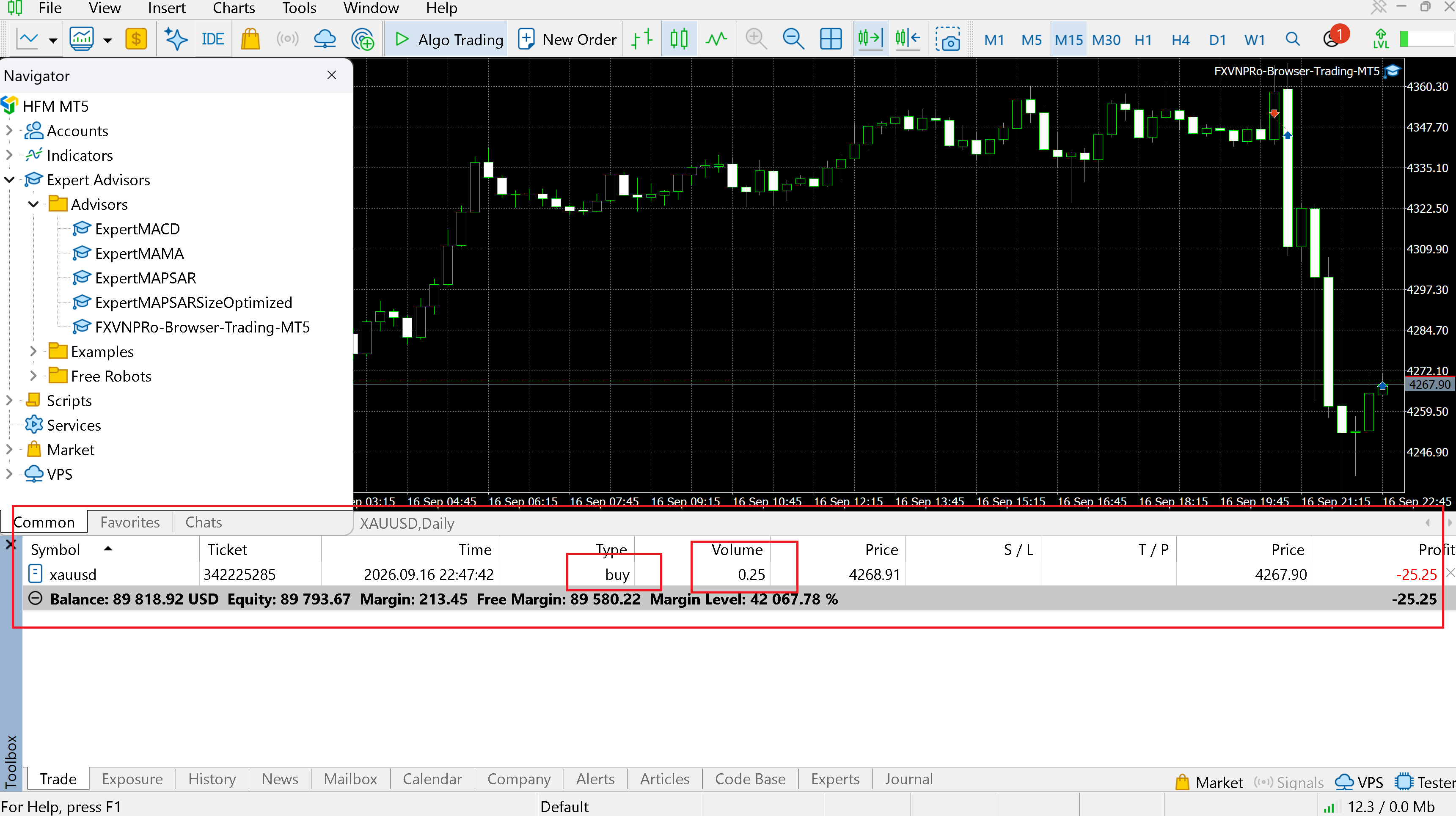
For this test I used XAUUSD (BUY -0.25 lot)
From the extension I can prepare the trade and send it to the connected MetaTrader terminal.
The order then appears in MT5:
4. Modify the trade
I can also modify the trade from the browser and see the change reflected in MT5.
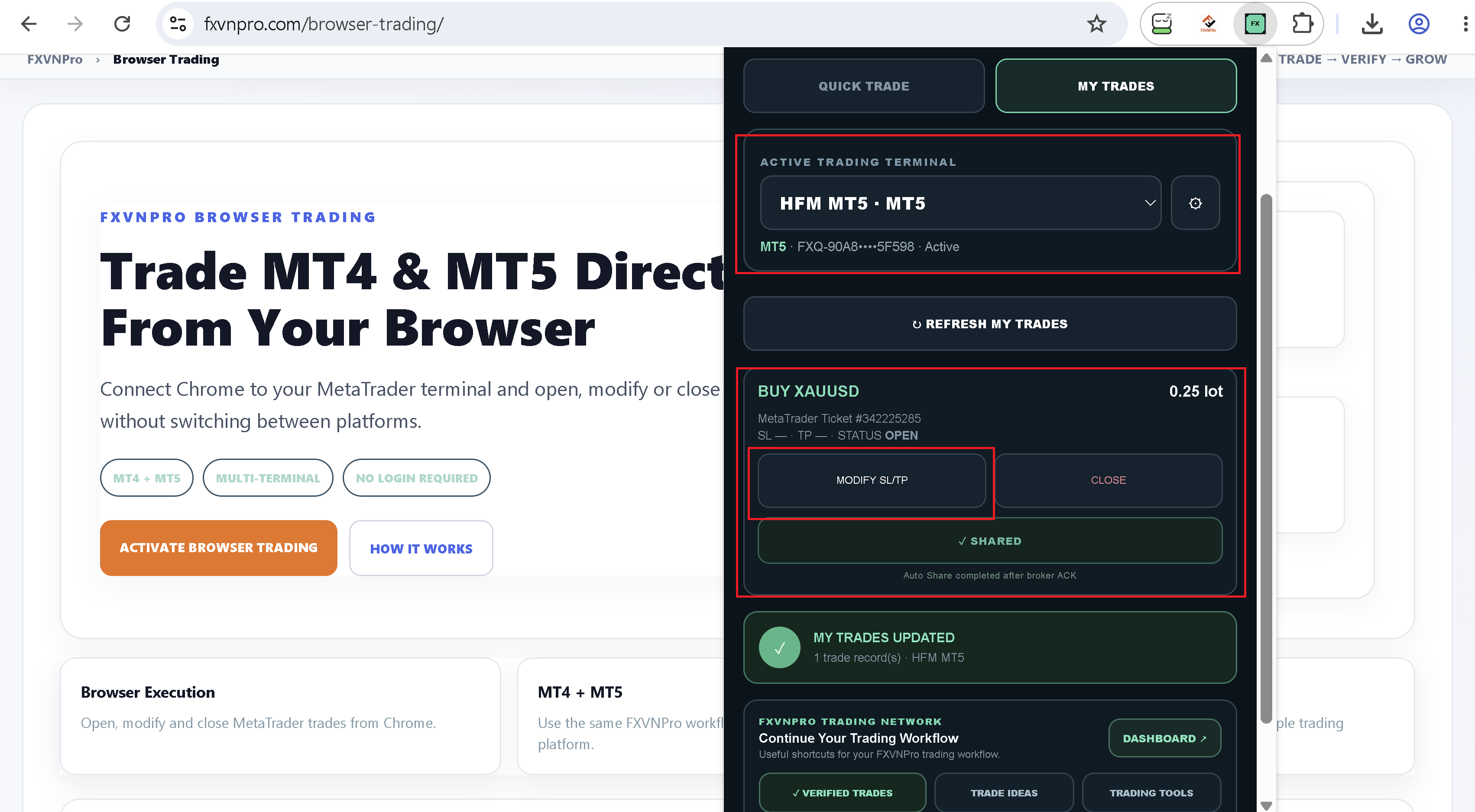
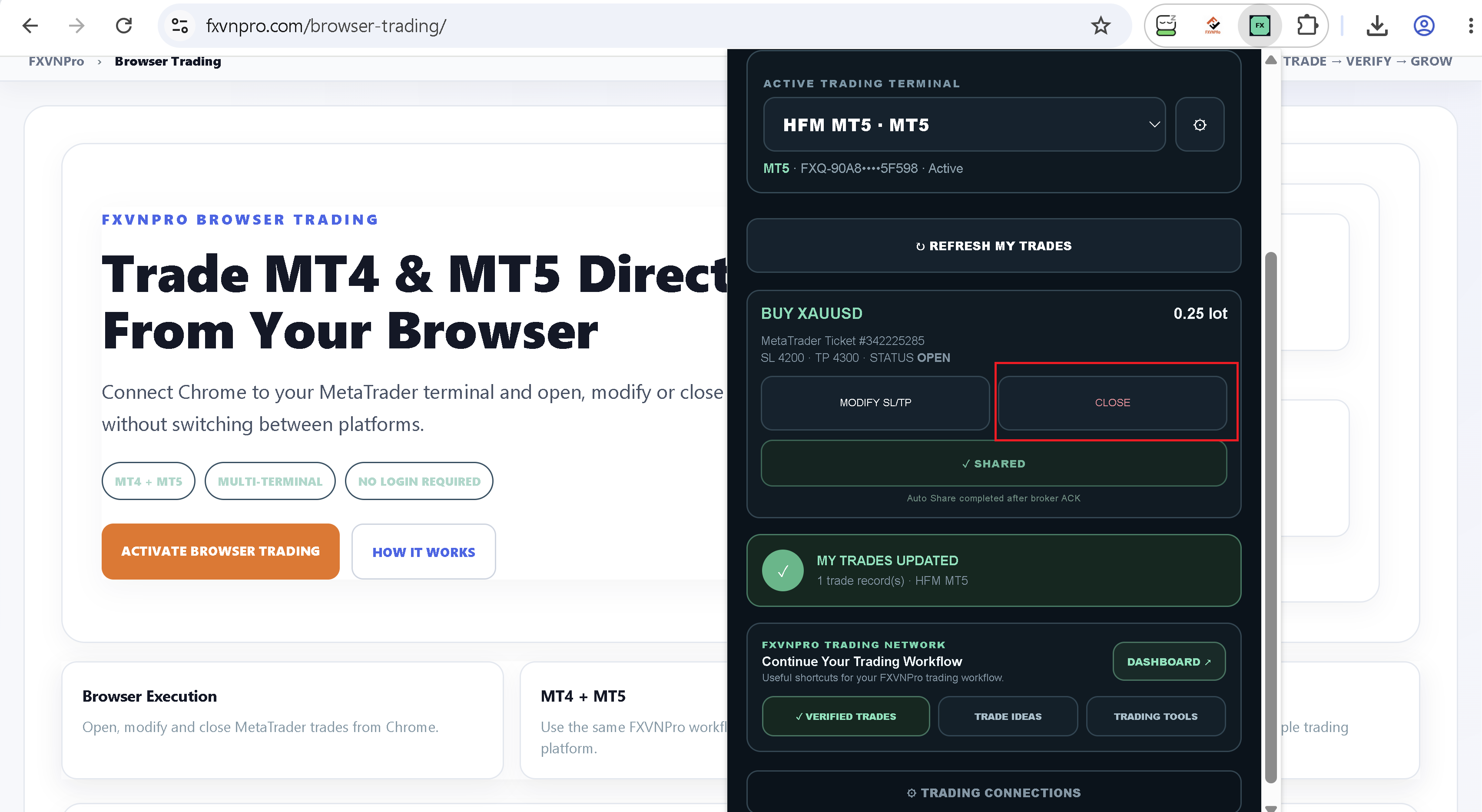
5. Close the trade
Finally I closed it from Chrome:
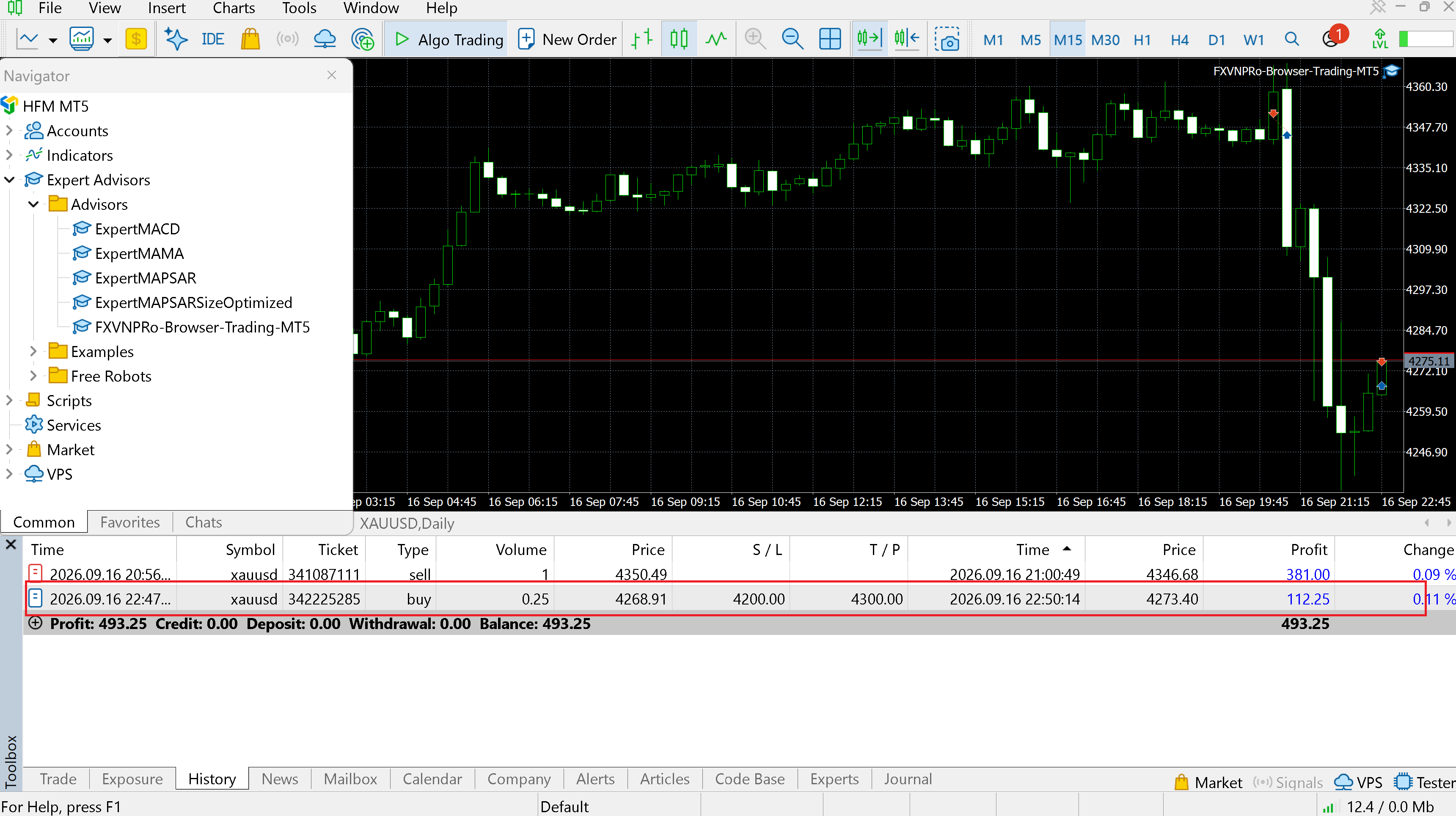
and the position was closed in MetaTrader.
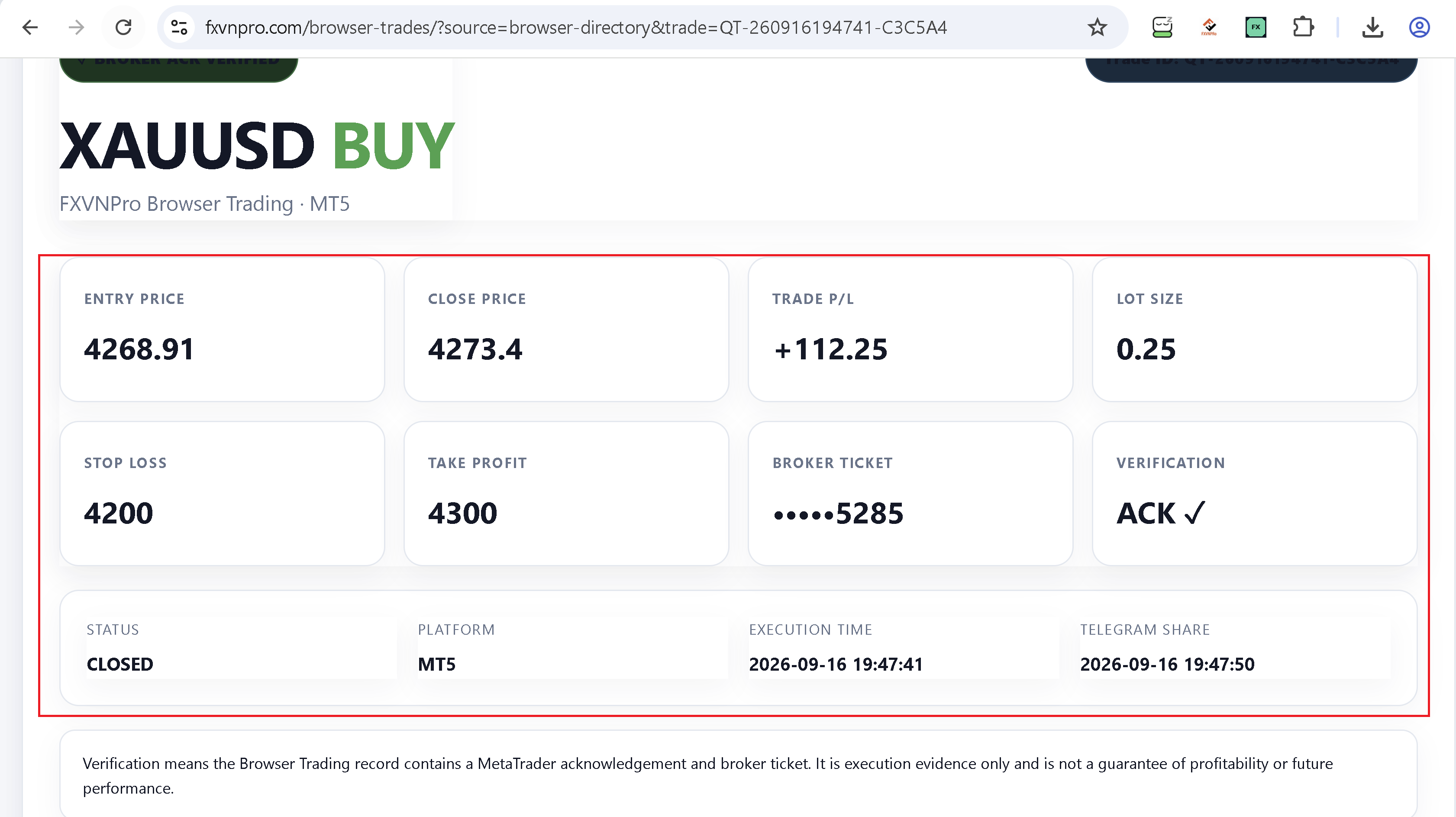
The execution information is then returned to the Browser Trading record:
That's basically it. I'm intentionally trying to keep the workflow simple:
Install → Connect → Trade → Modify → Close
This isn't meant to replace MetaTrader or provide trading signals. MetaTrader still handles the trading side; the browser is simply another way to interact with the connected terminal.
I'm interested in feedback from people who actually use MT4/MT5:
Would you find a browser → MetaTrader workflow useful?
And if so, what would matter most to you — easier trade management, remote access, execution records, or something else?
Full Video: Full Video:Trade MT4 & MT5 From Your Browser Full Video
More details / test it here: FXVNPro Browser Trading
Thanks guys. Any feedback is welcome.
I've been working on a small project that lets me manage my MT4/MT5 trading workflow directly from Chrome (TradingView,X.com....), while keeping MetaTrader running as the execution terminal.
The idea is pretty simple:
Chrome → FXVNPro → MT4/MT5 → execution result back to the browser
I finally got the complete workflow running, so I thought I'd share a few screenshots and get some feedback from other MT4/MT5 traders.
1. Install the Chrome extension
The extension is now available through the Chrome Web Store.
2. Create a connection and install the MT5 Bridge
From the Browser Trading page I create a connection, download the MT5 Bridge and attach it to MetaTrader.
Once connected, Chrome and the MetaTrader terminal can communicate without me entering my broker trading password into the Chrome extension.
3. Send a trade from Chrome
For this test I used XAUUSD (BUY -0.25 lot)
From the extension I can prepare the trade and send it to the connected MetaTrader terminal.
The order then appears in MT5:
4. Modify the trade
I can also modify the trade from the browser and see the change reflected in MT5.
5. Close the trade
Finally I closed it from Chrome:
and the position was closed in MetaTrader.
The execution information is then returned to the Browser Trading record:
That's basically it. I'm intentionally trying to keep the workflow simple:
Install → Connect → Trade → Modify → Close
This isn't meant to replace MetaTrader or provide trading signals. MetaTrader still handles the trading side; the browser is simply another way to interact with the connected terminal.
I'm interested in feedback from people who actually use MT4/MT5:
Would you find a browser → MetaTrader workflow useful?
And if so, what would matter most to you — easier trade management, remote access, execution records, or something else?
Full Video: Full Video:Trade MT4 & MT5 From Your Browser Full Video
More details / test it here: FXVNPro Browser Trading
Thanks guys. Any feedback is welcome.
Last edited:


