BTC USD 83,855.4 Gold USD 4,165.39
Time now: Jun 1, 12:00 AM

sharing doc on network

saveMe

Active Member
Messages
1,459
Joined
Jul 28, 2009
Messages
1,459
Reaction score
37
Points
30
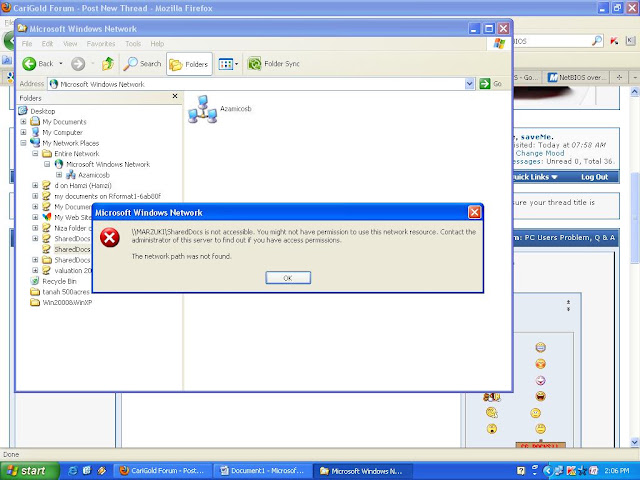
network%252520problem.JPG


you might not have permission to use this network resource. contact the administrator of this server


assalam....tuan2 yg budiman, harap dapat membantu...knape xbleh access pc dlm group? firewall dh diseble pon...:-?:-?:-?ape y xkena lg yek...

netBIOS pon dh enable...dlm regedit pon dh enable gak

yg ini pon dh buat gak
Windows Registry Editor Version 5.00
[HKEY_LOCAL_MACHINE\SYSTEM\CurrentControlSet\Control\Lsa]
"restrictanonymous"=dword:00000000

ape lg yg patut sy buat ek?~X(~X(~X(~X(
 
up skali....urgen nie...skg kat onsite lg dri pagi td xsetle2 lg nie...huhuhu...plzzzzzzzzzzzzz
 
windows firewall dah disable tapi kaspersky belum lagi.right click kat folder yang nak di share tu dan add everyone kat security setting
 
ko ping dulu IP address yang nak di connect.. kalu ade connection ko type dekat url box : \\(ip address)
 
windows firewall dah disable tapi kaspersky belum lagi.right click kat folder yang nak di share tu dan add everyone kat security setting

sblm nie bleh...windows firewall dh tutup tp yg KIS on je bleh je...tp sjak sjak jumaat lpas tibe2 da PC yg xleh access mmbr dlm group...sy reset router n create new group...still xjalan gak...huhuhu
~X(~X(~X(
 
PING%252520192.168.2.31.JPG


ade je...tp xleh bkak gak...nepe ek??? bis pikir dh nie..
 
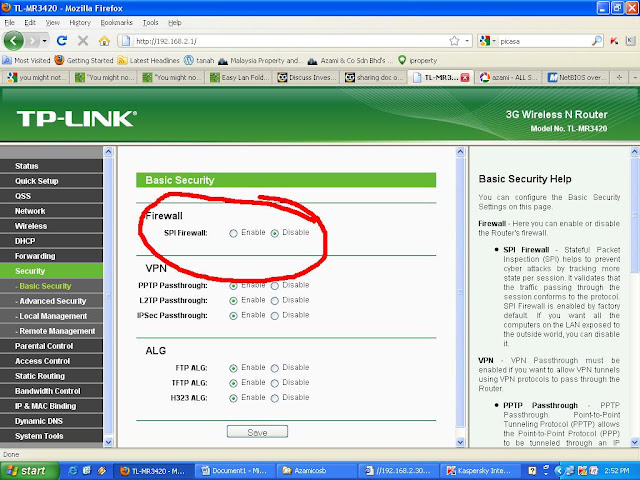
pada router sblm nie enable..so dh diseble gak pon xleh...

TP-LINK%252520TL-MR3420.JPG
 
ko pegi kt pc ko nk connect tu..ko amik run taip services.msc..pastu amik worksation..tekan stop and start balik..
 
Back
Top
Log in Register