
froze2icy
Junior Member
- Messages
- 56
- Joined
- Jul 14, 2013
- Messages
- 56
- Reaction score
- 14
- Points
- 16
this new post will show you how to change logon background using software and no need to change it manually.. will get you confuse only..

follow these steps :
1. download the files (in rar) below.
LINK 1
or
LINK 2
2. extract it and open 'Win7LogonBackgroundChanger.exe' the one with Computer icon, no need for you to install it.. wait for few minutes to load the software..
3. choose your wallpaper to change..
4. DONE!!!
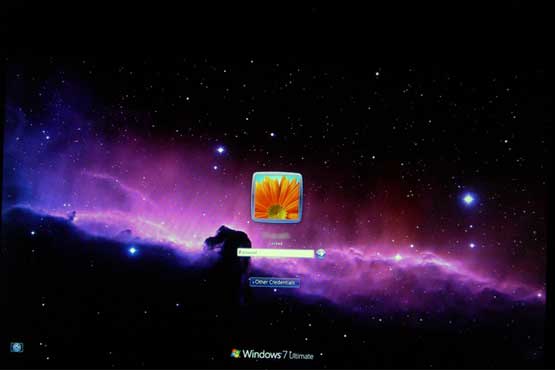
Copy paste from my blog, you guys can visit my blog..
http://extreme71.blogspot.com/2013/06/windows-7-logon-changer-using-software.html
----------------------------------------
Selling Windows OS and Antivirus.. click here...
http://www.carigold.com/portal/forums/showthread.php?t=448659
or here
http://www.carigold.com/portal/forums/showthread.php?t=448656
follow these steps :
1. download the files (in rar) below.
LINK 1
or
LINK 2
2. extract it and open 'Win7LogonBackgroundChanger.exe' the one with Computer icon, no need for you to install it.. wait for few minutes to load the software..
3. choose your wallpaper to change..
4. DONE!!!
Copy paste from my blog, you guys can visit my blog..
http://extreme71.blogspot.com/2013/06/windows-7-logon-changer-using-software.html
----------------------------------------
Selling Windows OS and Antivirus.. click here...
http://www.carigold.com/portal/forums/showthread.php?t=448659
or here
http://www.carigold.com/portal/forums/showthread.php?t=448656
Last edited:


